
Peer Hub
A professional safe place for Social Prescribing Link worker
Project Overview
The Challenge Social Prescribing Link Workers (SPLWs) are the unsung heroes of the NHS, connecting patients with non clinical support like housing support or mental health groups. However, the role faces a crisis of sustainability: high emotional labour, professional isolation, and safety risks.
Role: UX Researcher & Product Designer
Timeline: 4 Week Sprint
Tools: Figma
The Outcome I designed Peer Hub, a secure, NHS compliant digital ecosystem that centralises peer support. By streamlining knowledge sharing, the platform enables workers to identify a "safe next step" for complex cases in a matter of minutes, directly addressing the root causes of practitioner burnout.
Context: The Silent Crisis
To understand the solution, we must first understand the user. Link Workers operate at the intersection of clinical care and community support. It is a role that demands immense empathy and resilience.
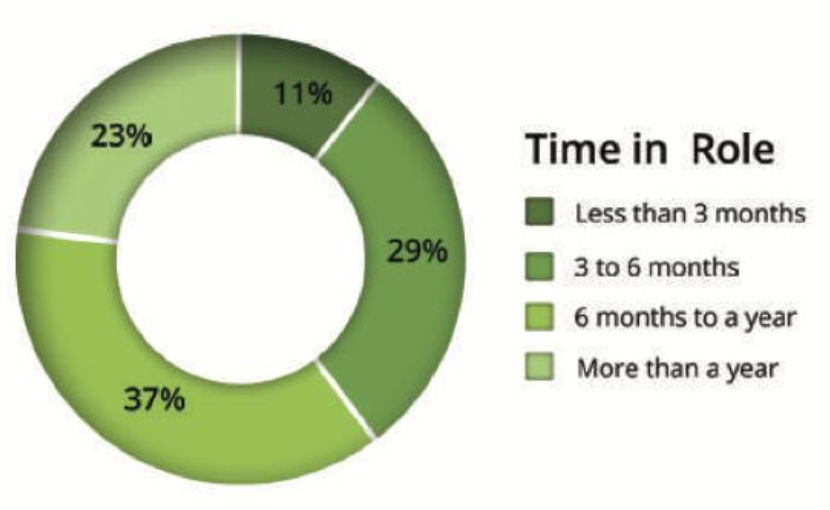
However, my initial research uncovered a stark reality: 11% of Link Workers leave the role within their first 3 months.
Why? Because currently, they are "reinventing the wheel" every day. Operating in silos without a structured support system, they face the emotional weight of complex patient needs alone, often leading to rapid burnout and inconsistent patient care.
The Problem
Despite their critical function, the SPLW workflow is fragmented. Through stakeholder interviews, I identified three systemic issues undermining the service:
Practitioner Burnout: The combination of high caseloads and a lack of understanding from the wider primary care team creates immense pressure.
Inconsistent Care Quality: Without a shared knowledge base, service quality varies drastically by postcode. Workers lack a verified source of truth for best practices.
Safety & Governance Risks: When dealing with high risk cases (e.g., domestic violence or severe debt), workers often lack immediate access to experienced peer supervision, creating legal and safety risks for both the patient and the worker.
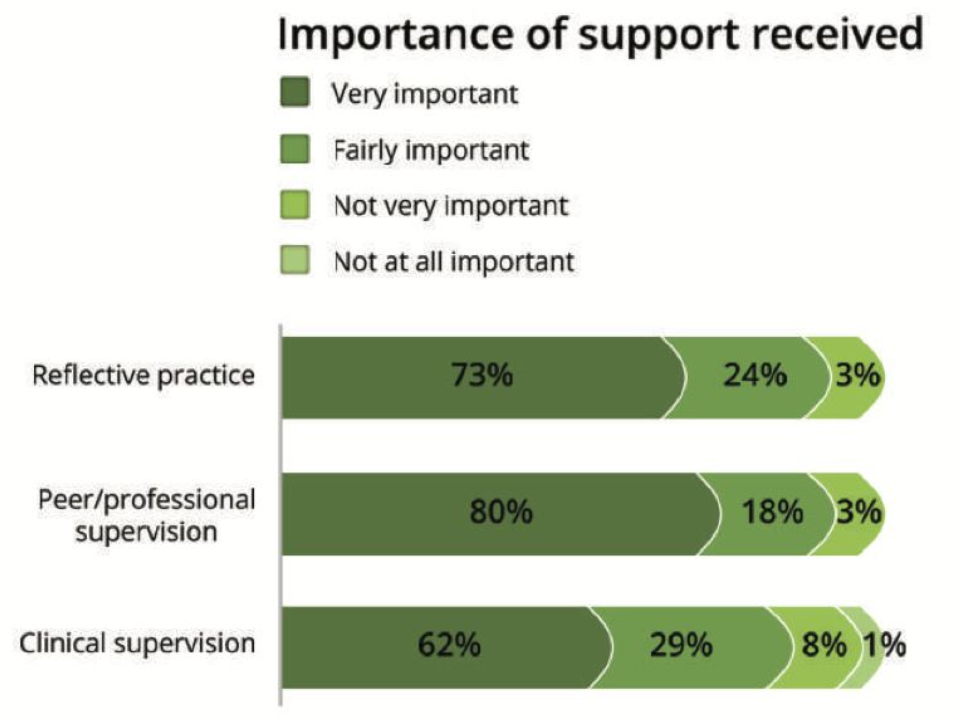
Data Insight: My research highlighted that 80% of workers rated professional supervision as 'Very Important', yet many lacked access to it.
User Research & Insights
Entering the discovery phase, I conducted interviews to map the day to day reality of the SPLW workflow. I discovered that any solution had to navigate a tension between speed and safety.
I synthesised my findings into three non negotiable design principles:
The "60 Second" Rule: Users are time poor. In a busy clinic, they need to reach a safe, actionable next step for a tricky case in a matter of minutes.
Governance First: Unlike standard messaging apps (like WhatsApp), this platform had to be PII safe (Personally Identifiable Information). Users expressed deep "Governance Anxiety" they needed strict guardrails and NHS login integration to feel safe sharing knowledge.
Local Context: Generic advice fails. The support needs to be actionable and relevant to their specific locality.
Sarah
Bio: Sarah is 27 and recently joined as a Social Prescribing Link Worker after working in community support and youth services.
She's energetic and people-centred, but new to primary-care systems and pathways. She values mentorship and clear guidance, and wants a moderated, professional space to learn fast without risking governance mistakes.
• Experience Level: Newcomer (<1 year as SPLW)
• Professional Background: Early-career community support / youth services (non-NHS)
• Tech Confidence: Medium; mobile-first, cautious with clinical systems
Quote: "I need something that gets me to a safe next step in under a minute-and tells me who to call, not just a list."
Goals & Motivations:
Build a trusted peer network for quick case tips and reassurance.
Reach a safe, practical next step in ≤60 seconds for tricky cases.
Learn local pathways and typical waits without endless calls.
Reduce double entry by posting once and updating records automatically.
Pain Points & Frustrations:
No structured peer channel: Ad-hoc chat is noisy; no moderated, professional space for case questions.
Black box handovers: Little visibility after warm handover; time lost chasing VCSEs.
Governance anxiety: Unsure what's safe to share; wants NHS login and clear audit.
Ben
Bio: Ben is 41 and has worked as a Social Prescribing Link Worker for about 18 months after a decade in housing and welfare advice. He's pragmatic and outcome-focused: he wants to turn uncertainty into action fast and avoid duplicate admin. He's comfortable on mobile and uses EMIS/SystmOne plus a social prescribing platform, but hates jumping between them.
Experience Level: Intermediate (~1.5 years as SPLW)
Professional Background: Housing & welfare advice / community
developmentTech Confidence: Medium-High (mobile-first; efficiency-driven)
Quote: "Give me three clear next steps in under a minute-and a button to create the chase and paste the note."
Goals & Motivations:
Reach a safe, practical next step in ≤60 seconds for tricky cases.
Close loops faster: reduce time spent chasing VCSE referrals.
Write once, seen everywhere: create chases and update records from one place.
Tap peer knowledge when stuck, but prefer structured guidance over long chat.
Pain Points & Frustrations:
System fragmentation: Frustrated by manually copying advice from chats into clinical systems which creates double entry and admin waste.
Noisy channels: Finds ad-hoc messaging distracting and struggles to locate specific past answers without efficient search tools.
Referral dead ends: Annoyed when referring patients to services that are full or closed due to out of date capacity information.
The Solution: Peer Hub
Peer Hub is not just a forum; it is a centralised professional ecosystem built on three pillars:
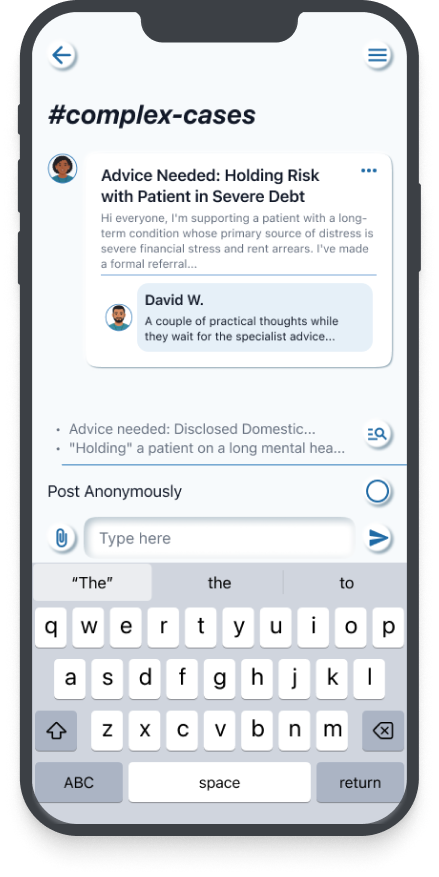
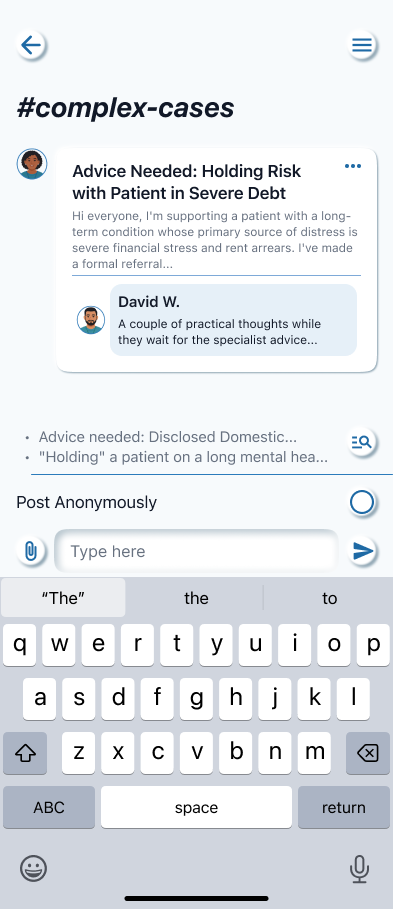
1. Secure Peer Channels Moderated spaces where workers can discuss anonymised cases. To solve the "Governance Anxiety," I designed a "Quick Paste" feature that automatically strips sensitive data patterns (like NHS numbers) to ensure compliance before a message is sent.
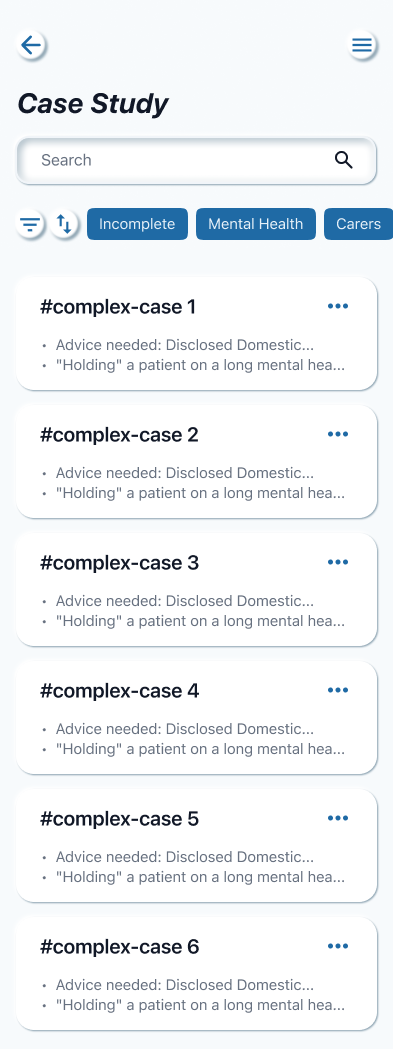
2. Case Study Library A searchable repository of real world scenarios. This transforms individual experience into collective intelligence, allowing a newcomer like Sarah to learn from a veteran like Ben rather than struggling alone.
3. Resource Hub Curated, bite sized training modules on complex needs (e.g., Debt Management). This directly addresses the 73% of workers who identified reflective practice as crucial to their role.
Information Architecture

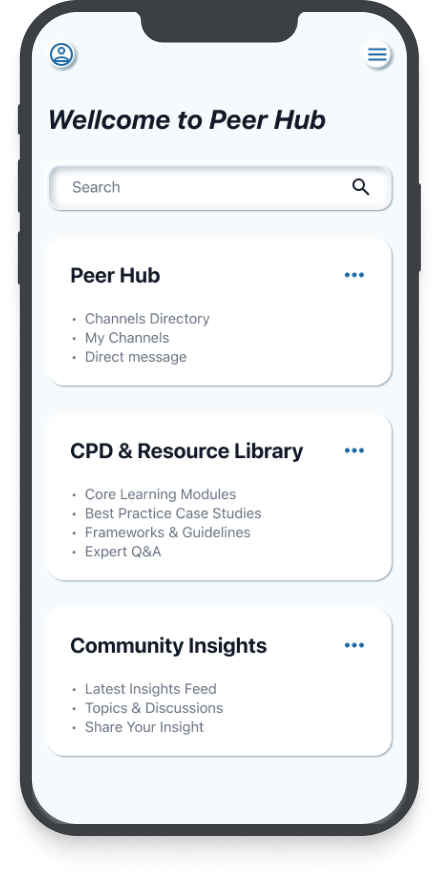
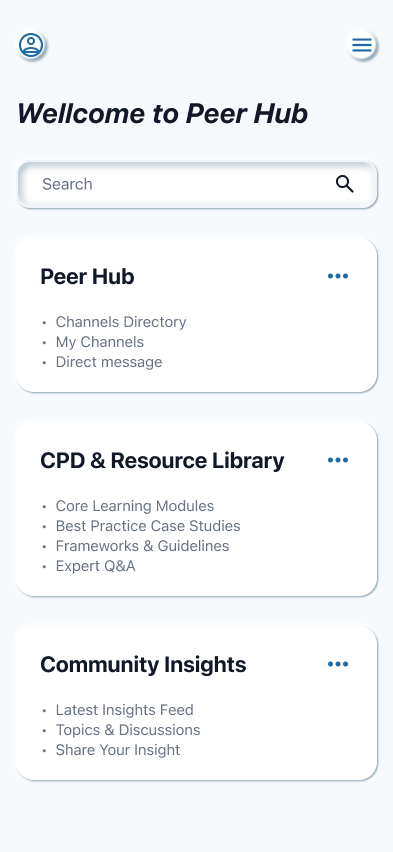
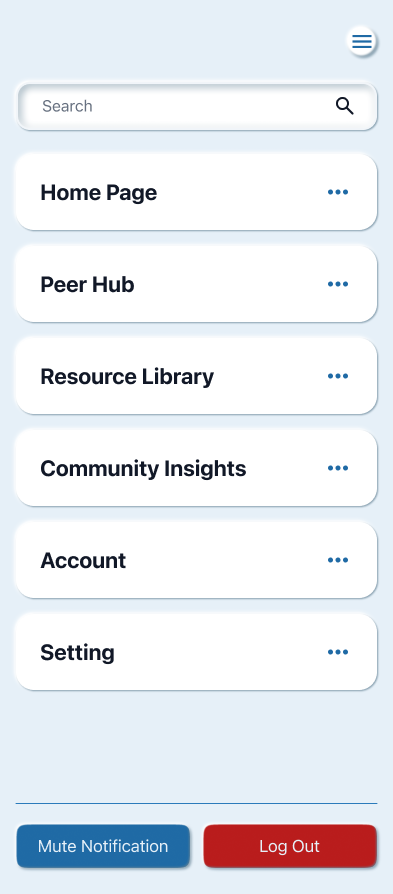
Structuring the Mental Model I organised the Information Architecture to clearly separate "urgent tasks" from "reflective learning." The dashboard is divided into four distinct environments:
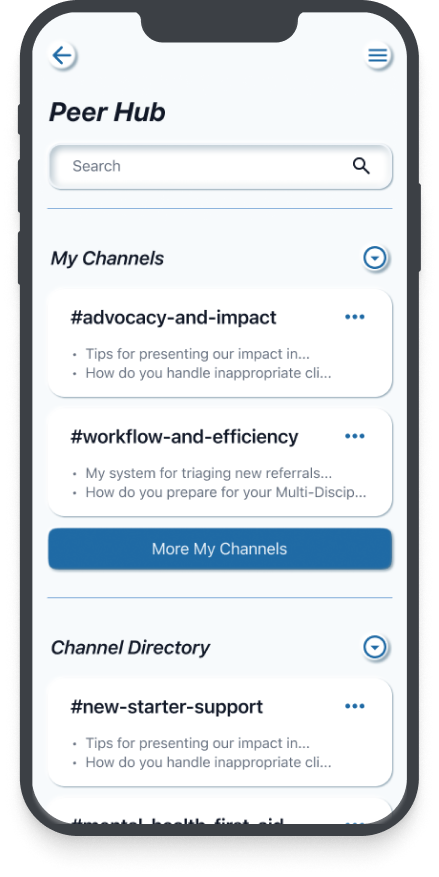
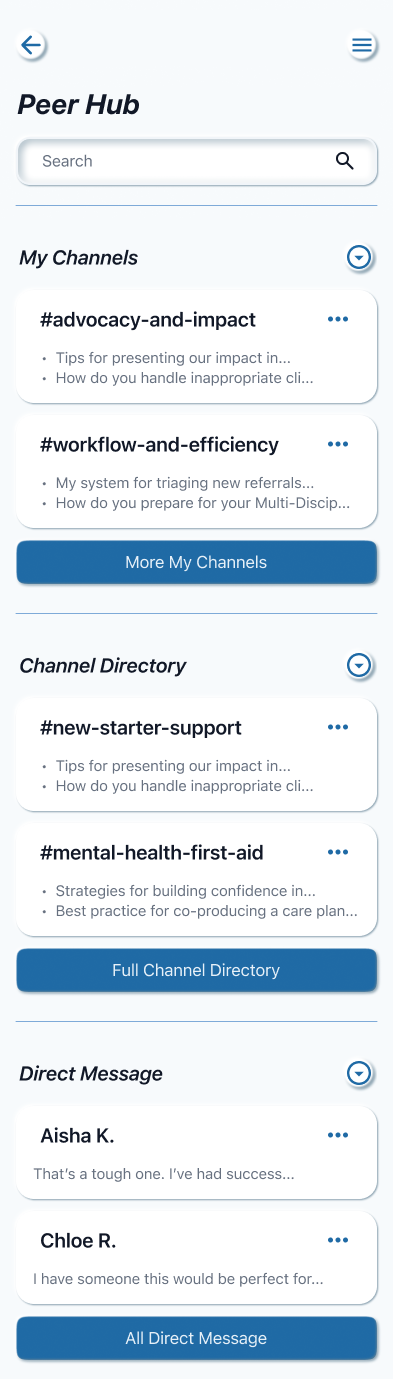
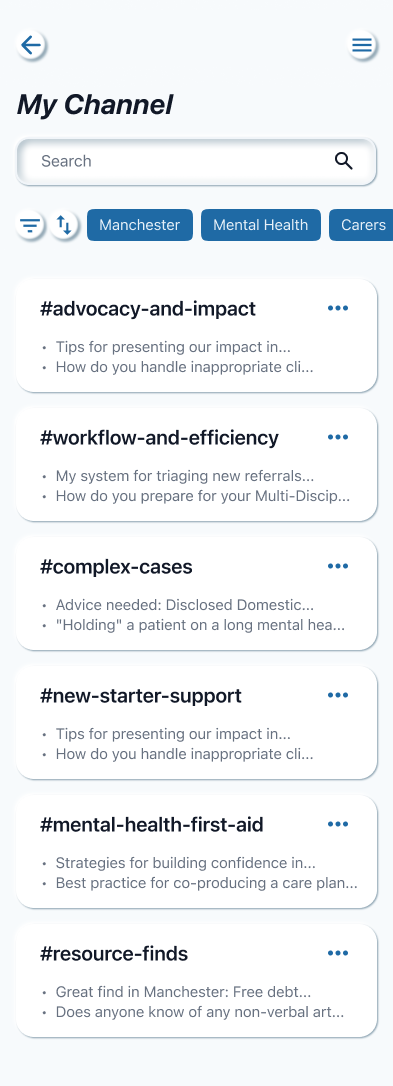
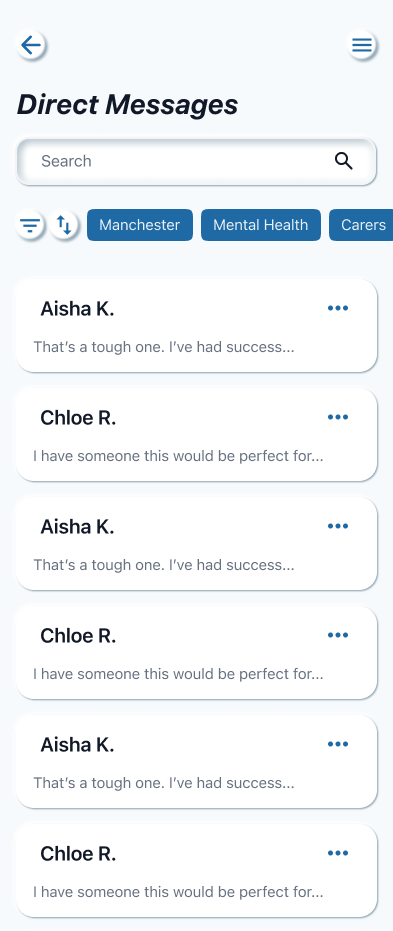
Peer Hub: For immediate, real time support (Channels & Direct Messages).
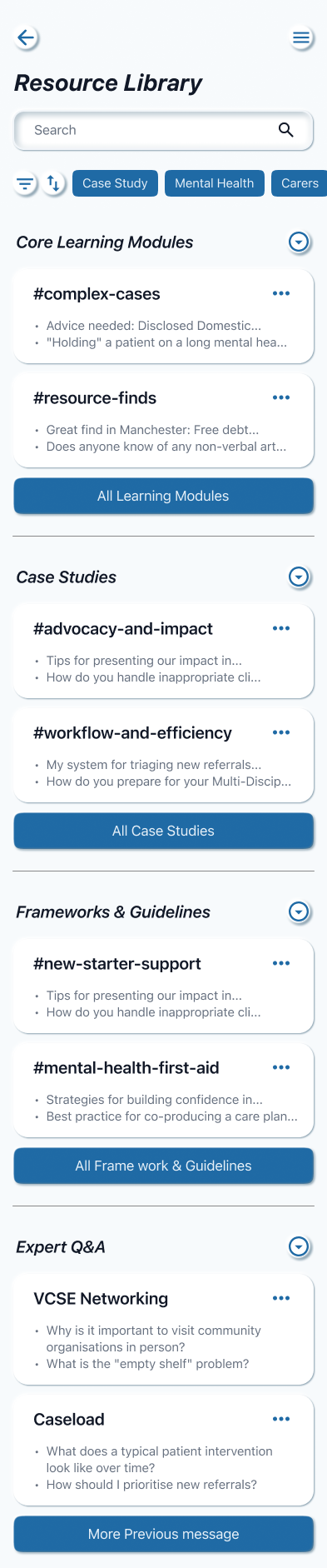
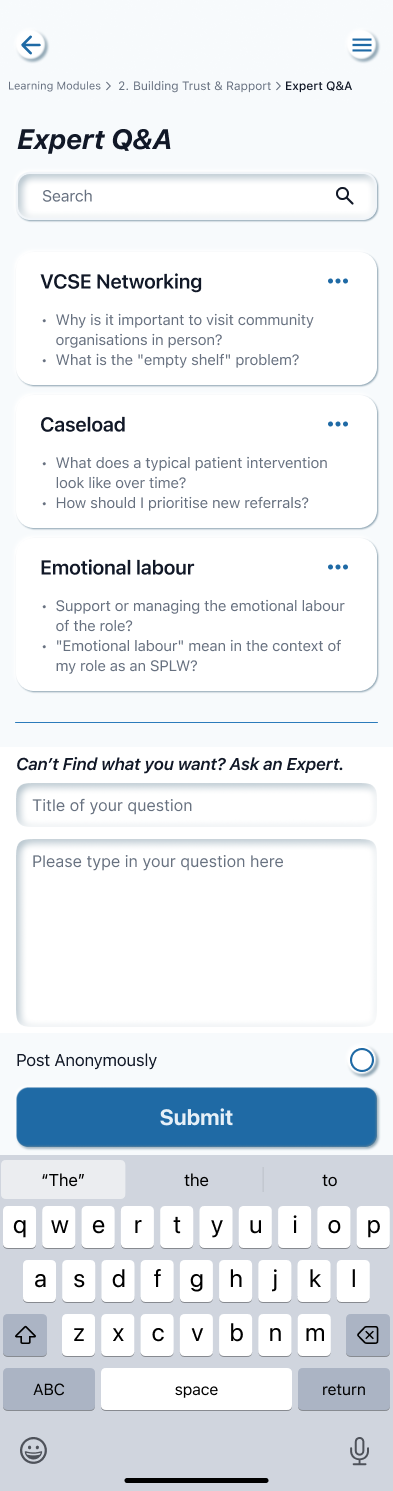
CPD & Resource Library: For structured, long term learning (Case Studies & Modules).
Community Insights: For broader industry trends and discussions.
Profile: For personal management.
User Flows
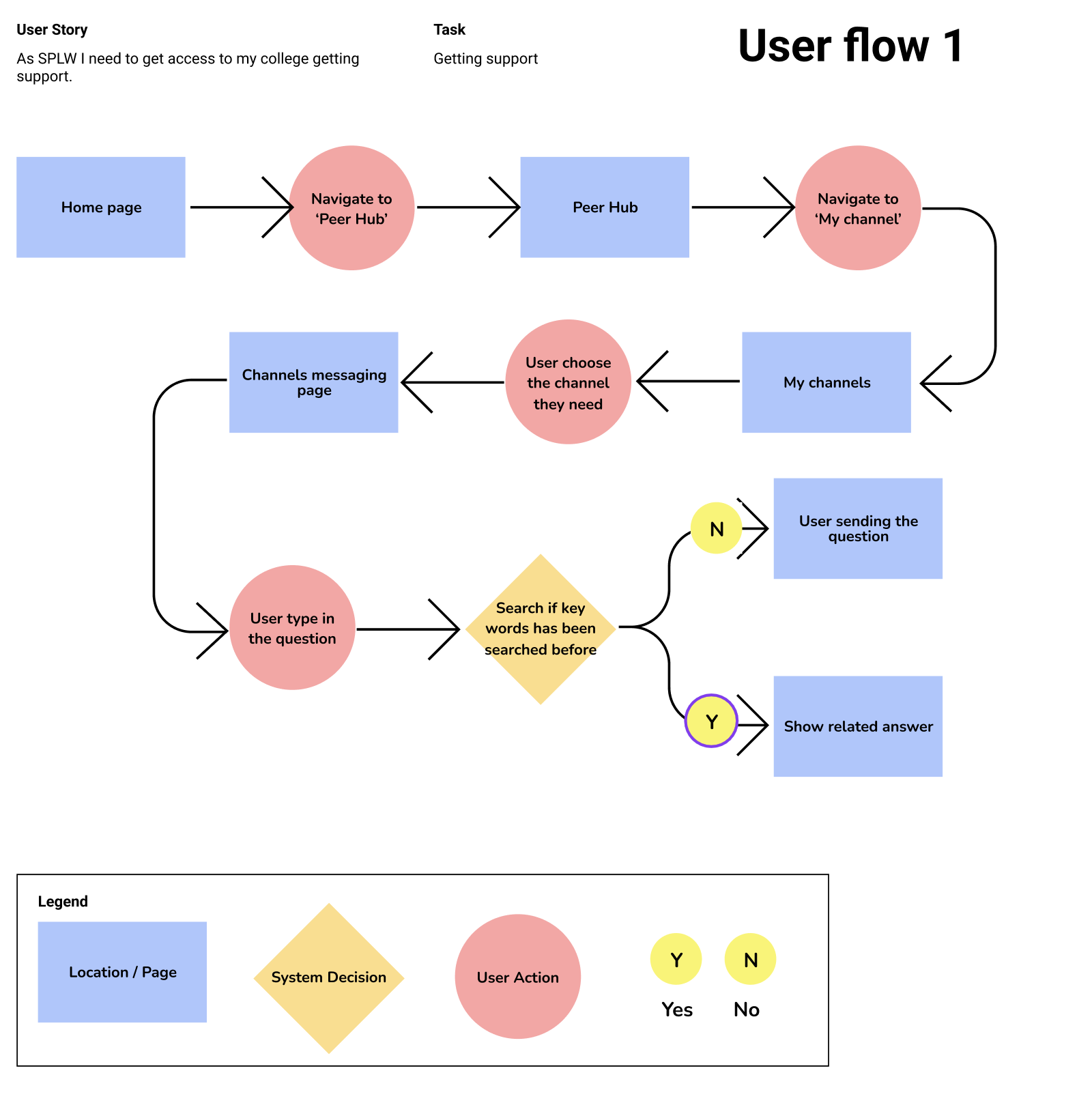
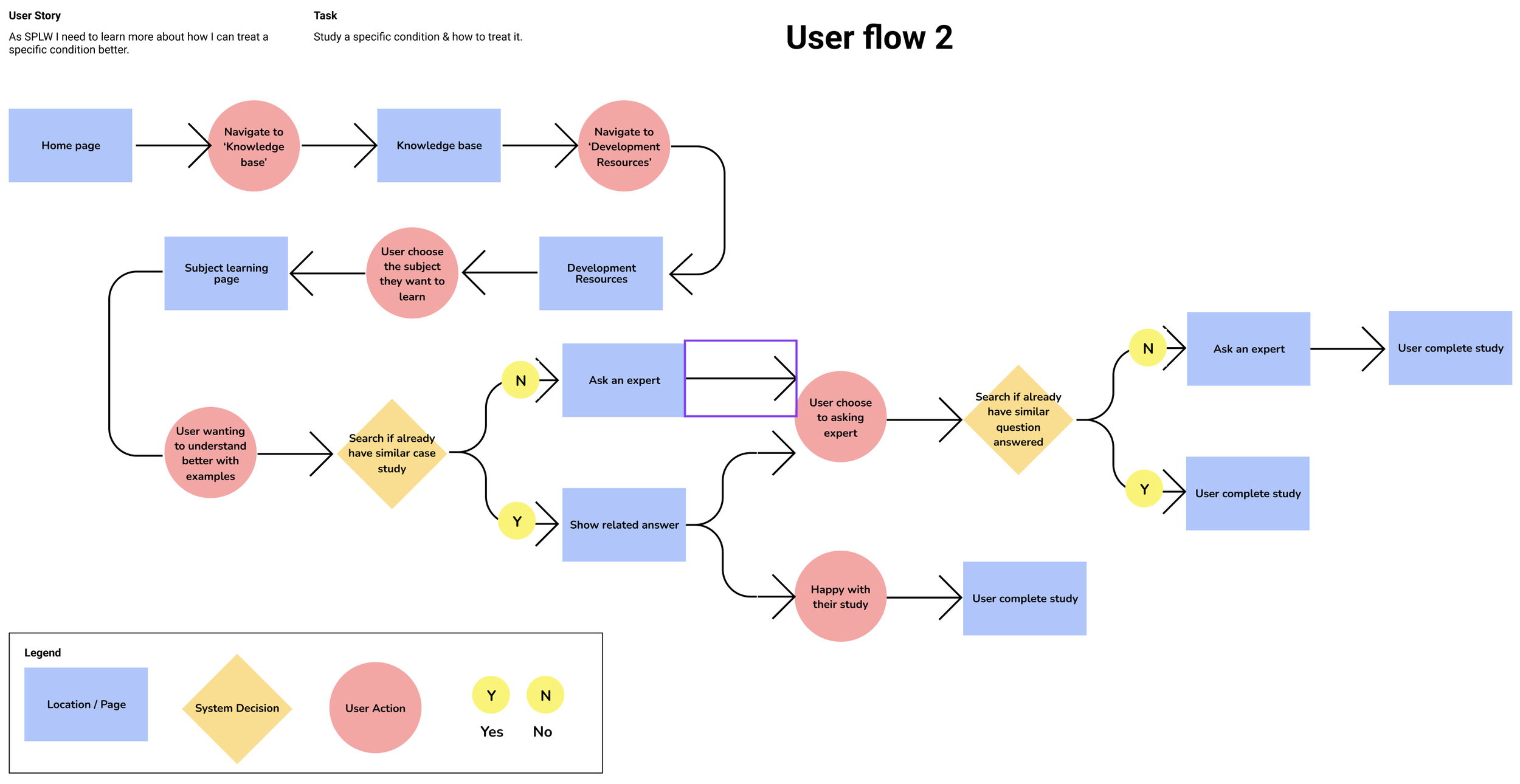
Key User Flows Within this structure, I prioritised two flows based on the user's cognitive state:
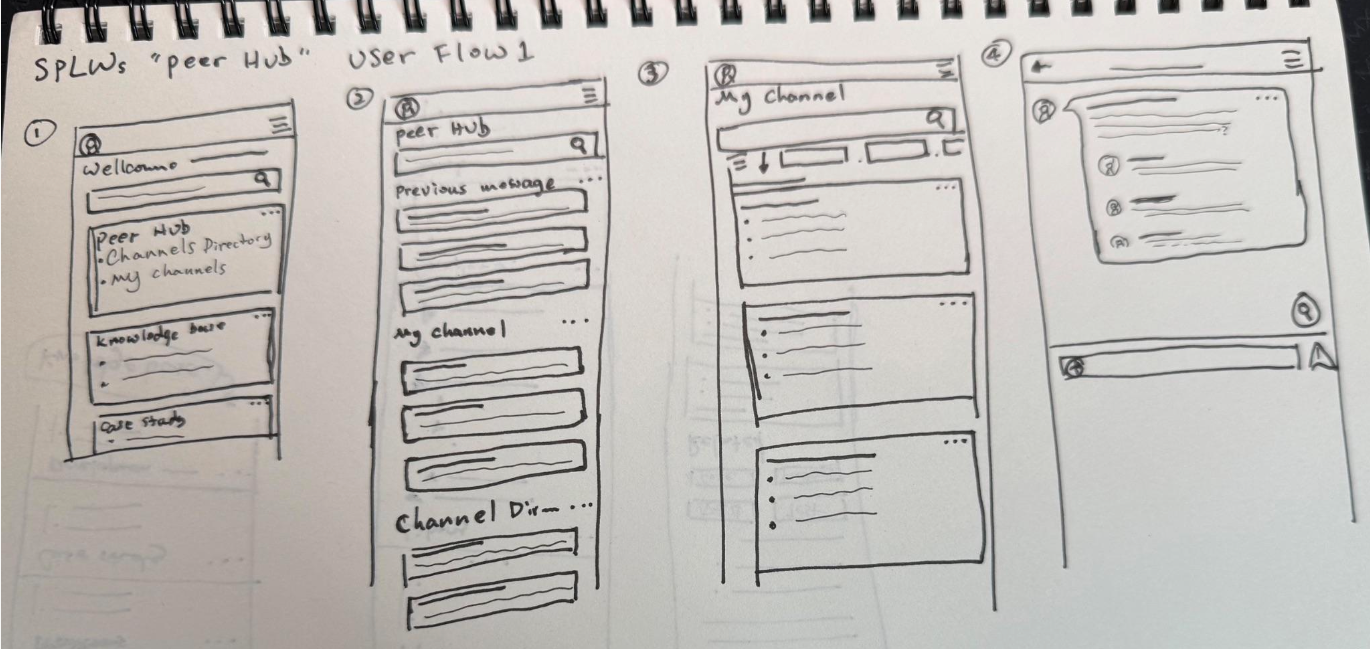
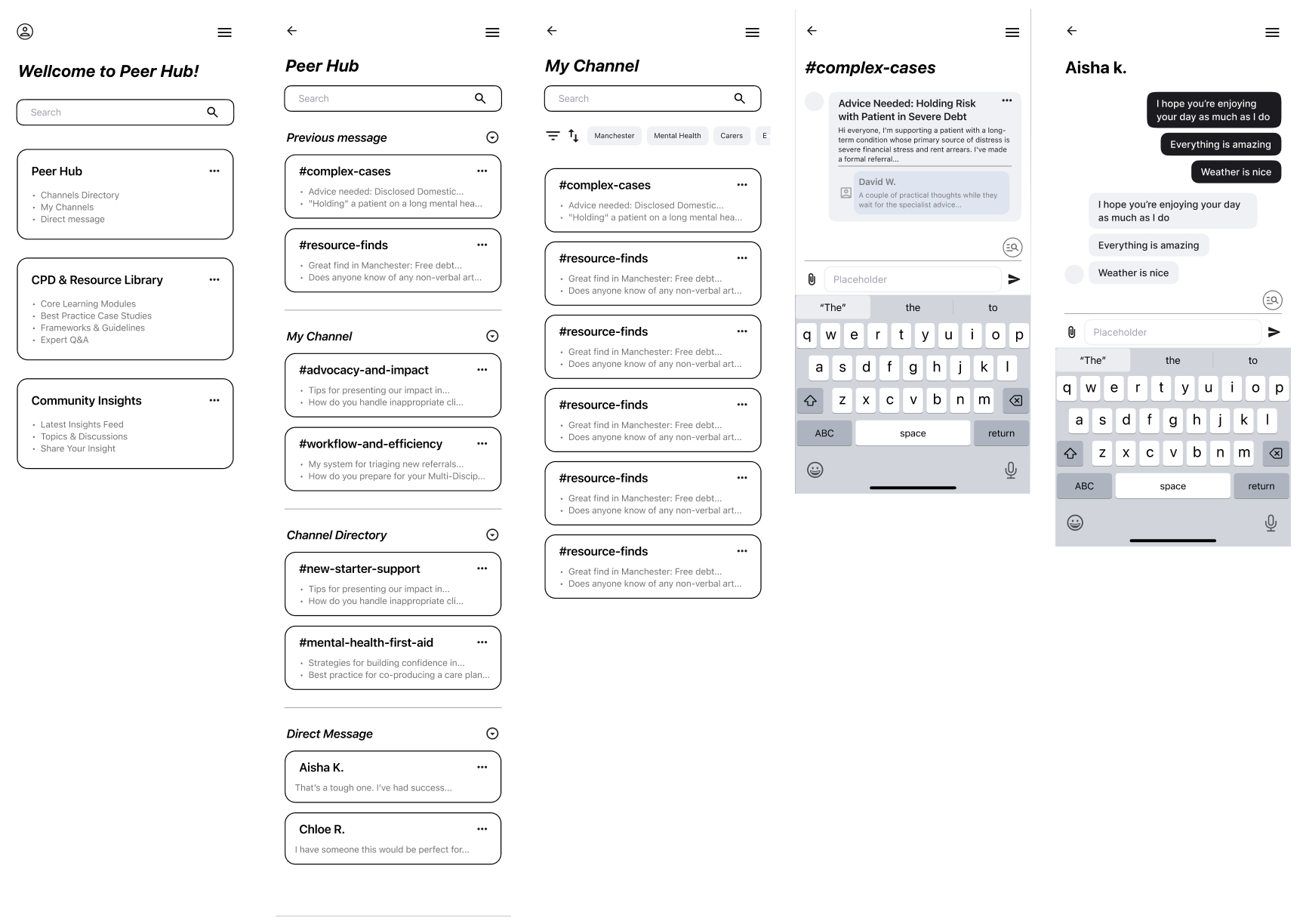
The "In Crisis" Flow (Getting Support): A linear, friction free path designed for high stress moments where a worker needs quick, moderated advice on a challenging case.
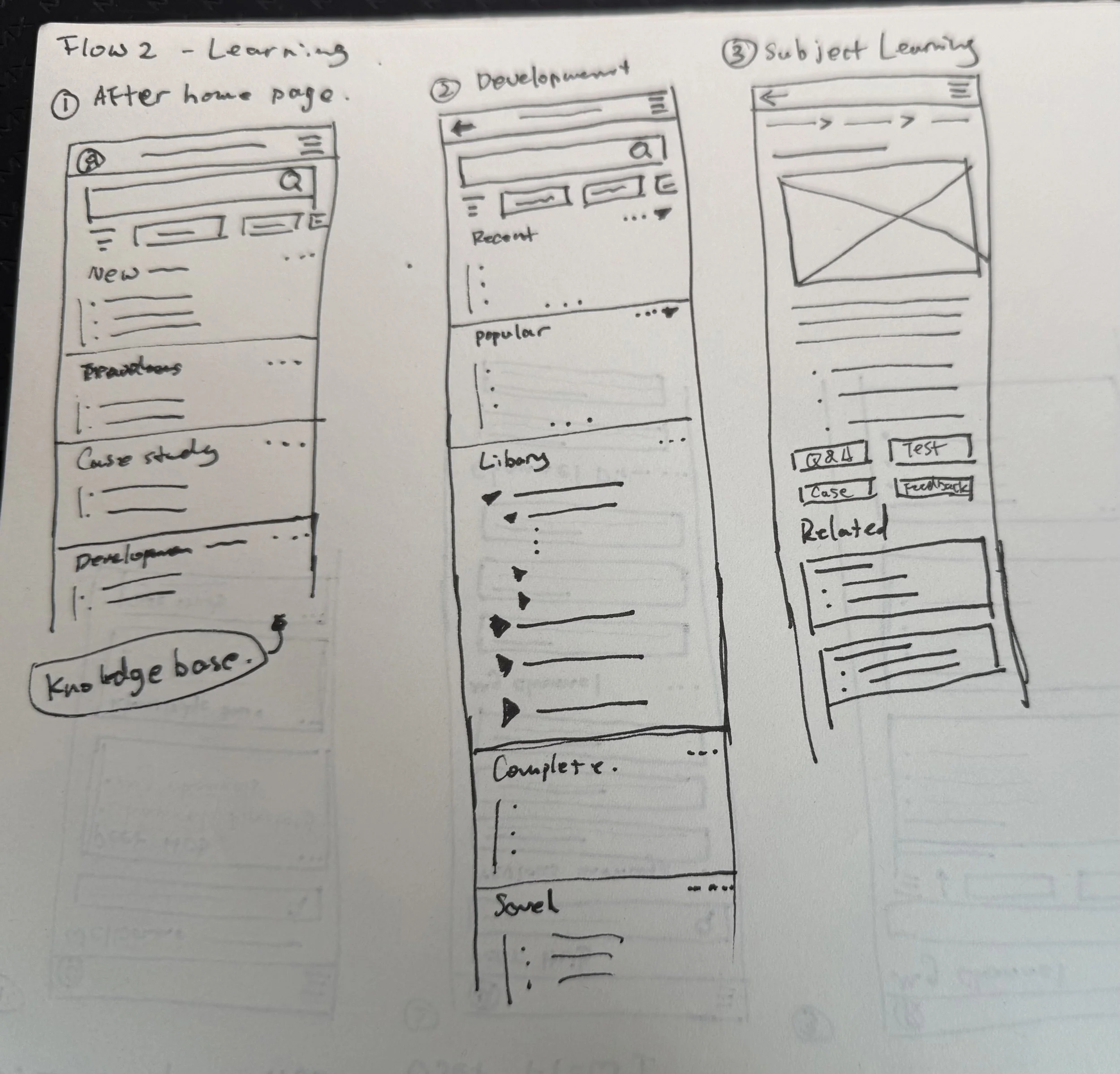
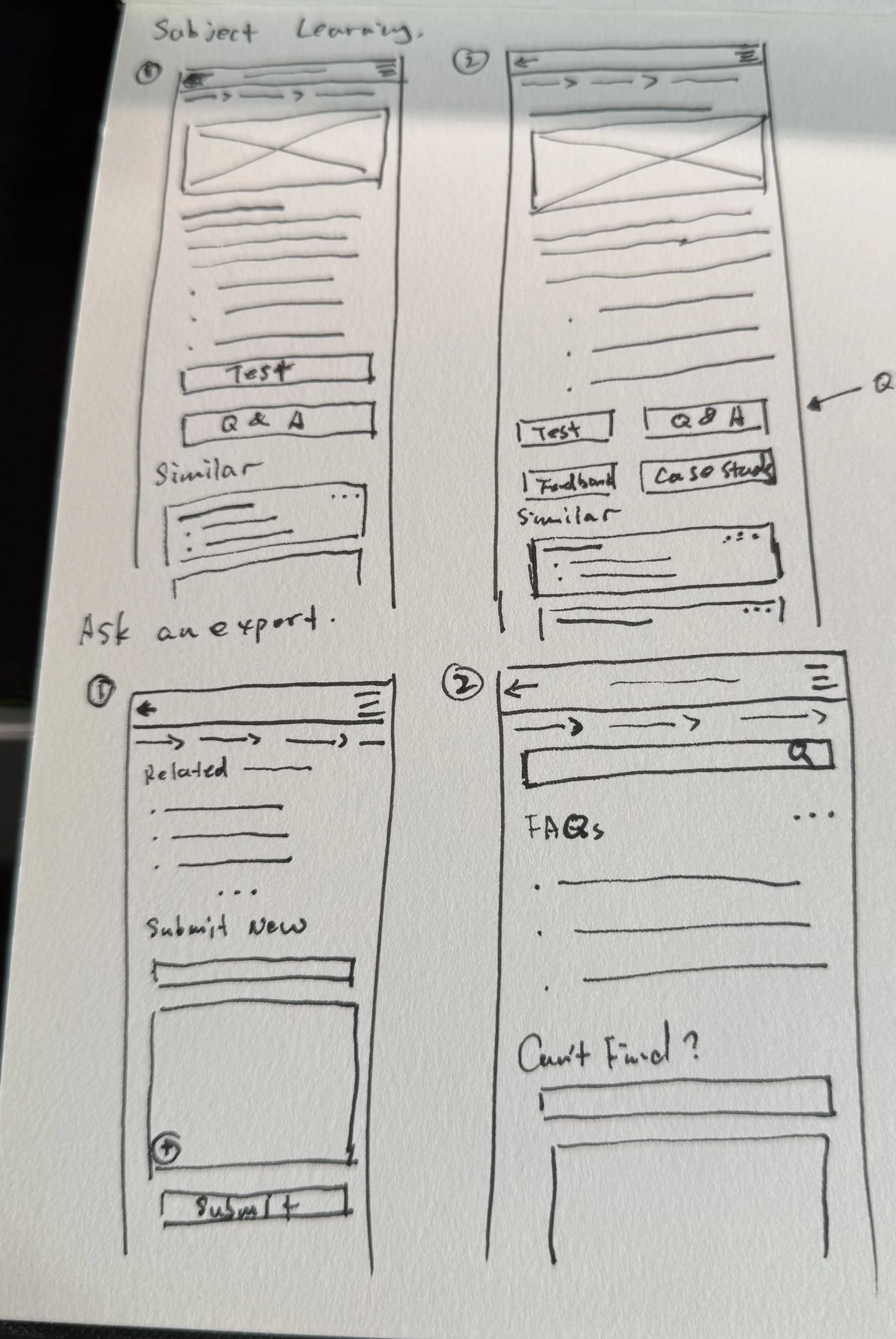
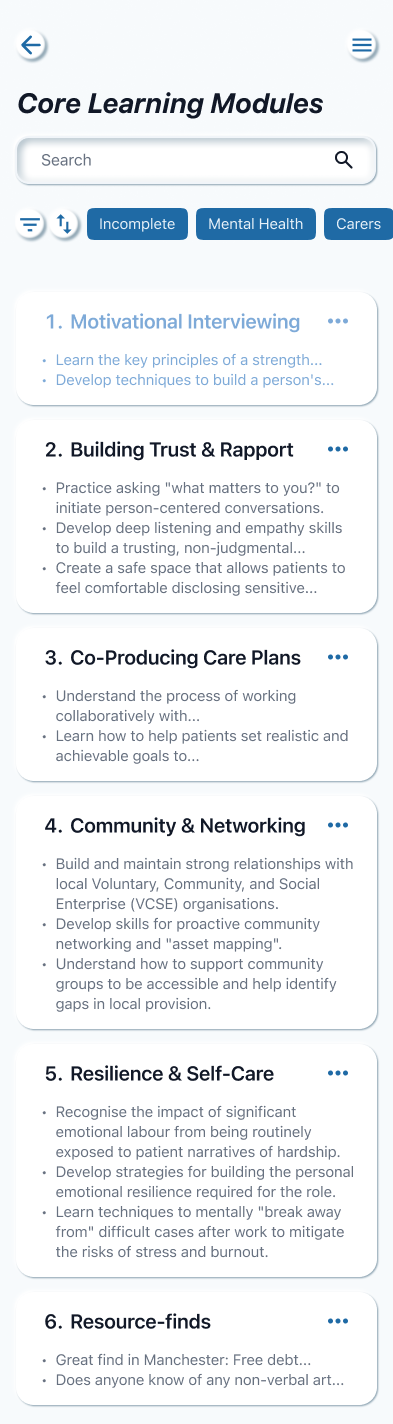
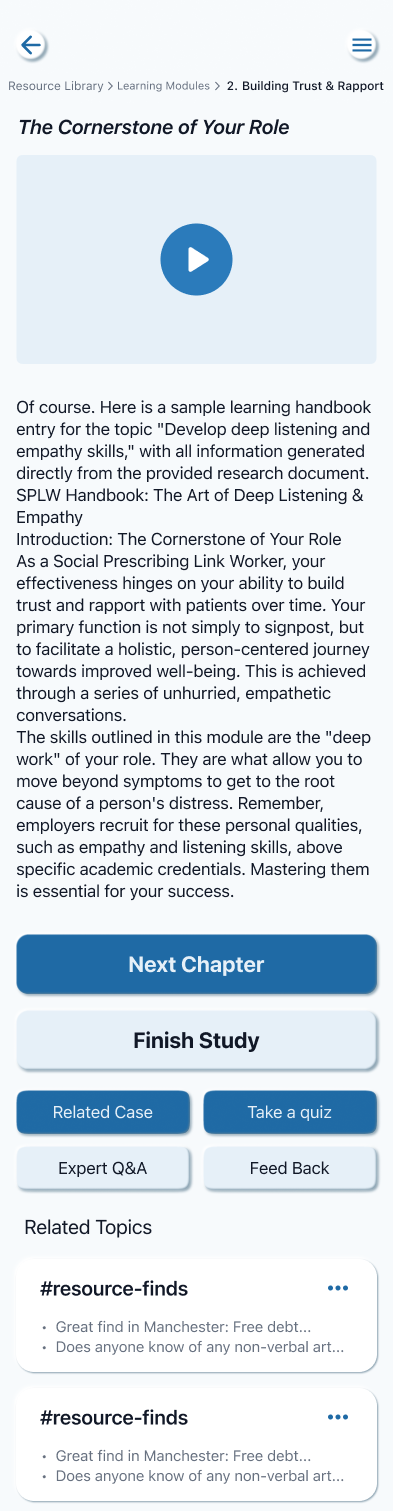
The "Development" Flow (Knowledge Base): A deeper, exploratory path for moments of reflection, allowing users to upskill in specific areas like Motivational Interviewing.
User Flows 1 Sketch
User Flows 2 Sketch
Wireframe - User Flow 1
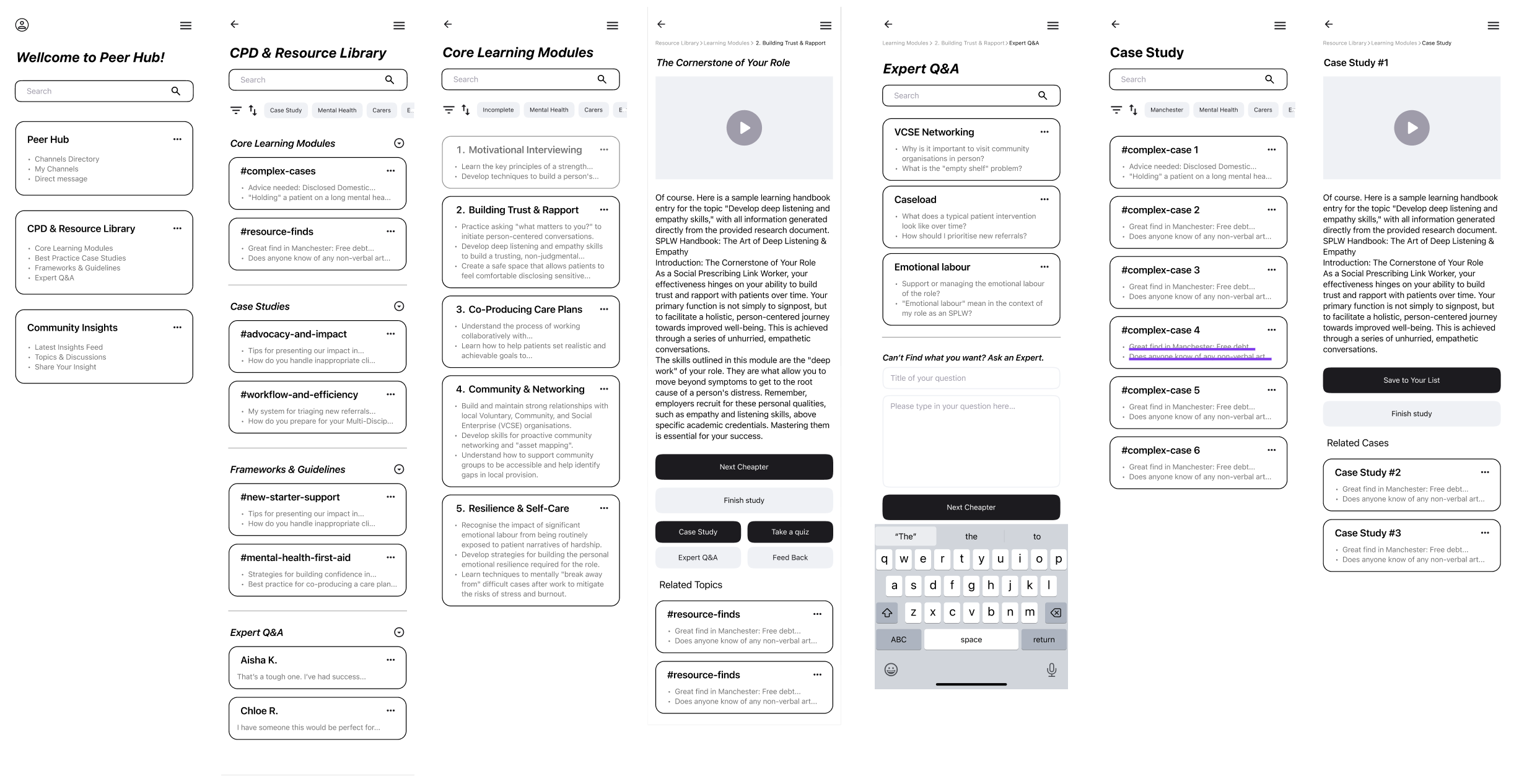
Wireframe - User Flow 2
Design System: Trust by Design
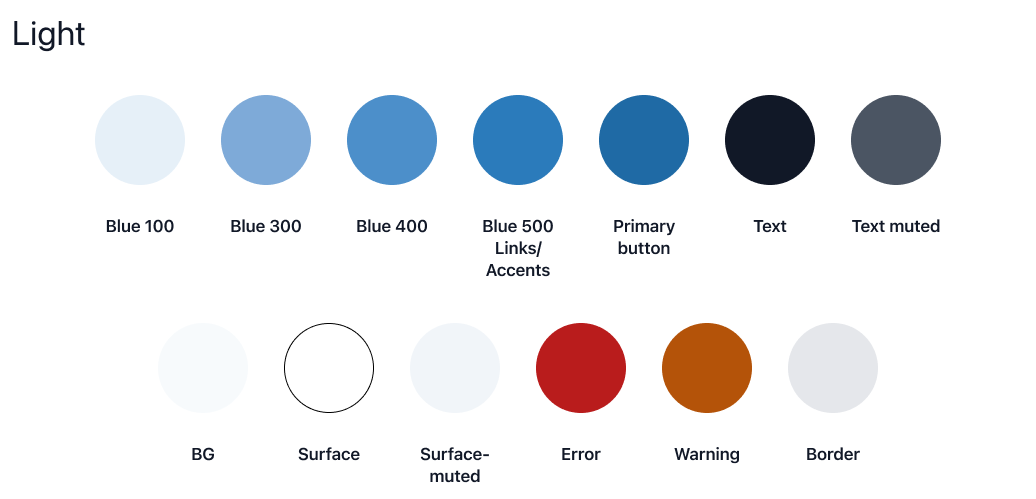
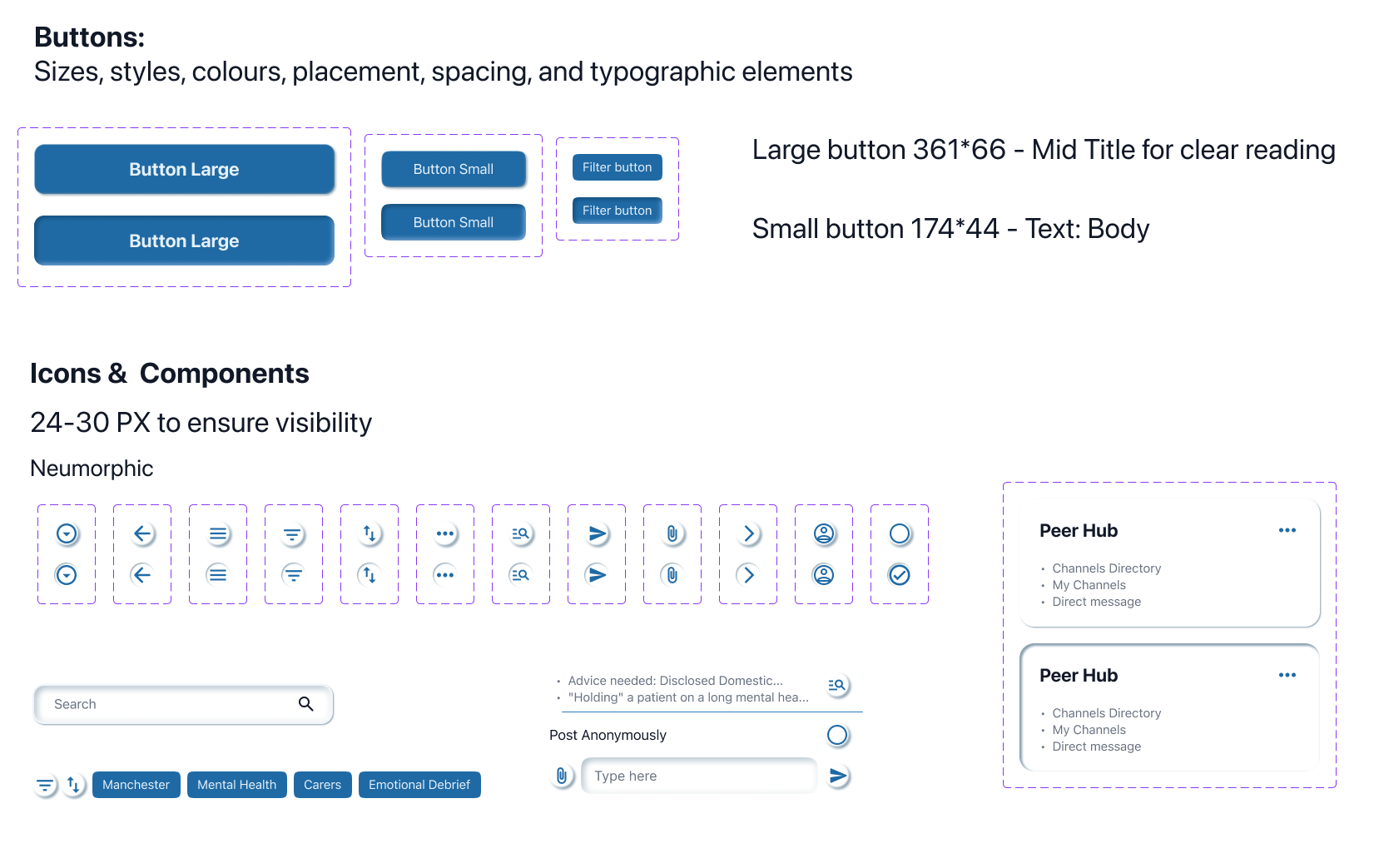
Visual Strategy In a healthcare setting, trust is visual. I selected a Medical Blue palette to align with existing NHS digital standards. This familiarity reduces cognitive friction for workers already juggling clinical systems like EMIS or SystmOne.
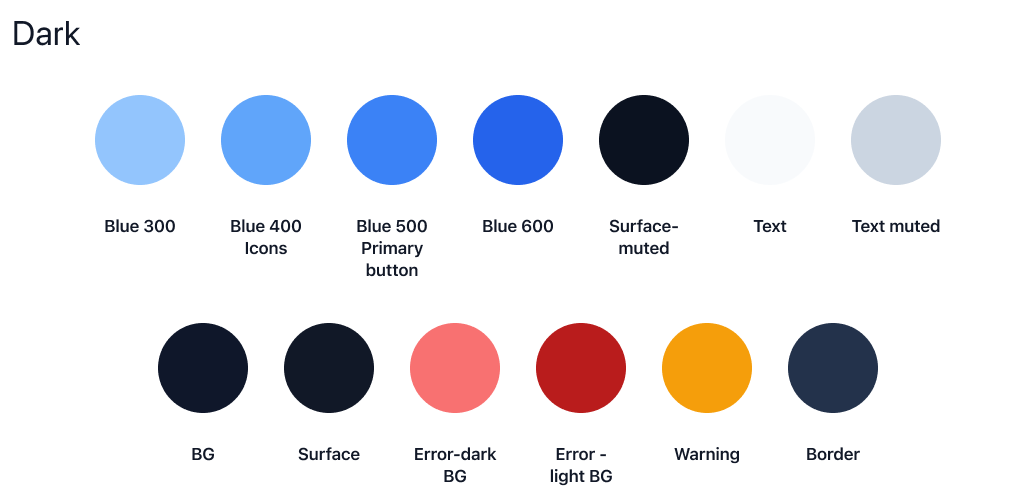
Adaptive Colour Modes Recognising that Link Workers operate in diverse environments—from bright GP surgeries to low light home visits—I designed a dedicated Dark Mode to reduce visual fatigue.
Light Theme: Optimised for clarity in bright clinical settings, using high contrast text against clean white surfaces.
Dark Theme: Adjusted for low light conditions. I shifted the primary blue tokens (e.g., using lighter Blue 400 for icons against dark backgrounds) to maintain accessible contrast ratios without causing glare, ensuring the app is comfortable to use at any time of day.
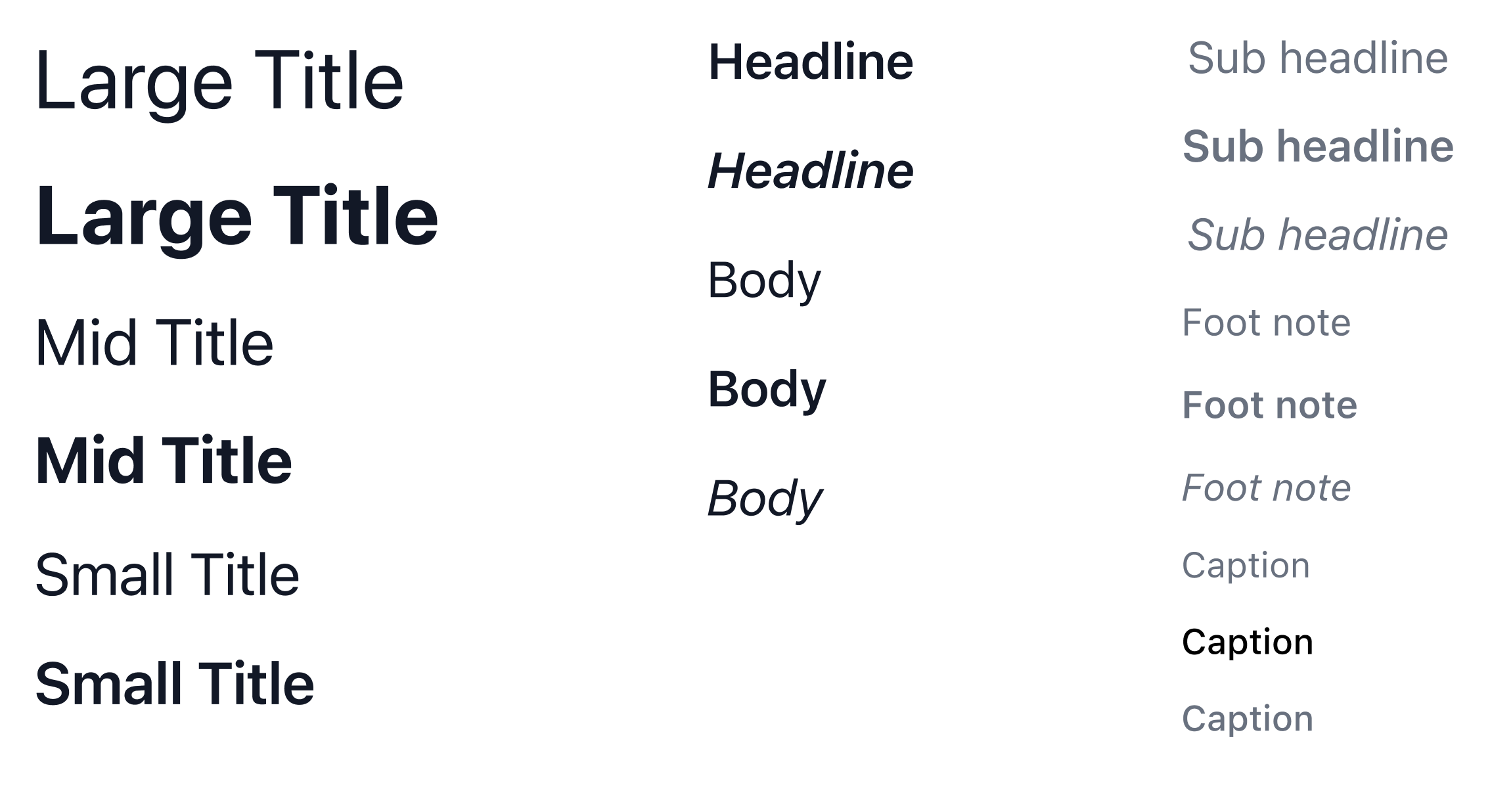
Accessibility & Typography Given the text heavy nature of case notes and clinical guidance, accessibility was paramount. I utilised a strict typographic hierarchy with distinct Large Titles and Captions to ensure information is scannable during busy shifts, adhering to WCAG AA standards.
Final design
Bringing the Experience to Life Having established a robust visual language, I applied it to the core user journeys. My focus here was on interaction design—creating an interface that feels instantly familiar yet professionally distinct. I wanted to remove the learning curve entirely; if a Link Worker can use a standard messaging app, they can use Peer Hub immediately.
Attention to Detail It is often the smallest details that build the greatest trust.
The "Post Anonymously" Toggle: In the Peer Hub channel view, I added a prominent toggle above the keyboard. This small but critical interaction choice directly alleviates the "Governance Anxiety" users reported, giving them visual confirmation of their safety before they type a single word.
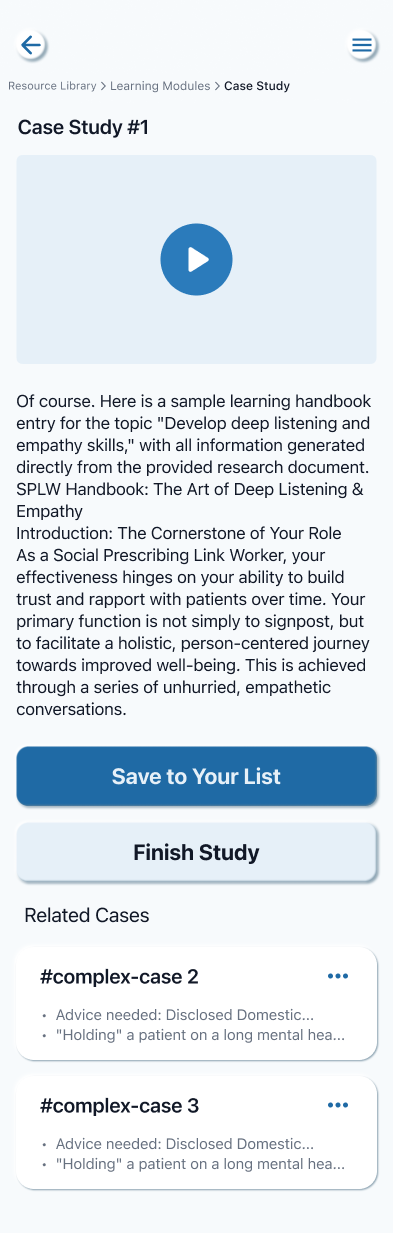
System Feedback (Toast Notifications): When a user saves a case or copies advice, the system provides immediate feedback (e.g., "Copied to Clipboard"). In a high pressure clinical environment, this confirmation provides necessary reassurance that the system has registered their action, preventing decision fatigue.
Structured Learning Cards: For the Resource Library, I moved away from dense text blocks. Instead, I used card based layouts with clear progress indicators ("Incomplete" / "Complete") and integrated media players. This attention to layout ensures that professional development feels bite sized and achievable, rather than an administrative chore.
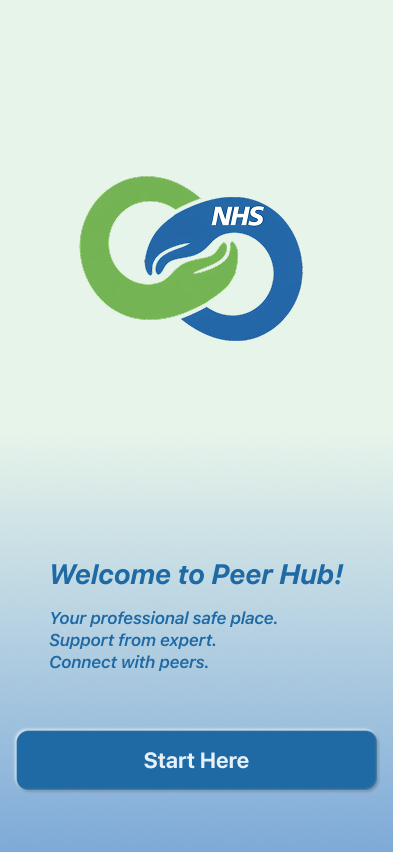
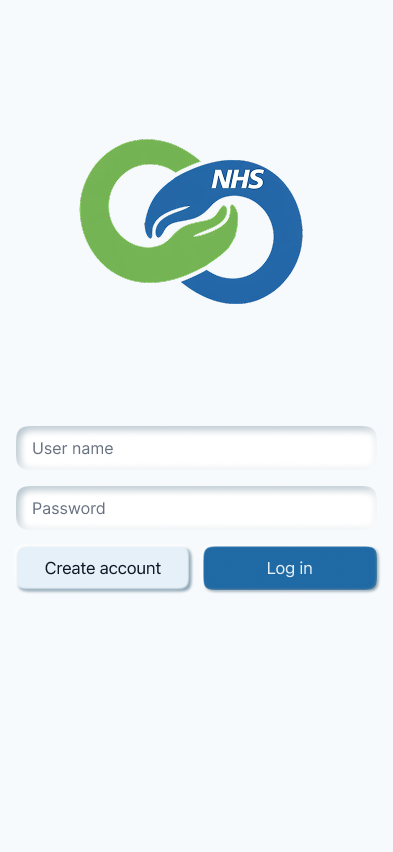
Log in, Home page and menu
User Flow 1
User Flow 2

Retrospective & Future Roadmap
The Governance Paradox The most significant challenge in this project was balancing usability with security. Implementing non negotiable NHS standards adds significant friction to the user experience. I had to design specific "guardrails" within the UI—such as mandatory anonymisation prompts—to prevent users from accidentally over sharing patient data without slowing them down.
The Empty Room Problem A peer network creates value only if people contribute. A major risk for Peer Hub is ensuring experienced peers are motivated to share their knowledge. Future iterations would focus on Professional Recognition features to incentivise senior workers to populate the Case Study Library, effectively turning tacit knowledge into a shared asset.